Every week I get a version of this question.
"Should I use LangGraph or LangChain for my agent?"
The answer is not which one. The answer is: they solve different problems, and reaching for the wrong one at the start costs you a week of refactoring.
Here is what I have seen in production across dozens of deployments. Use this to make the call once, at the beginning, and not revisit it.
The actual difference
LangChain is a toolbox. It gives you model integrations, prompt templates, memory primitives, and chain patterns. You use it when you want to connect an LLM to your application without writing the boilerplate yourself.
LangGraph is a graph execution engine built on top of LangChain. It gives you stateful, cyclic workflows where each step can loop back, branch conditionally, and persist state across multiple turns. You use it when your system needs to take actions, observe results, and decide what to do next.
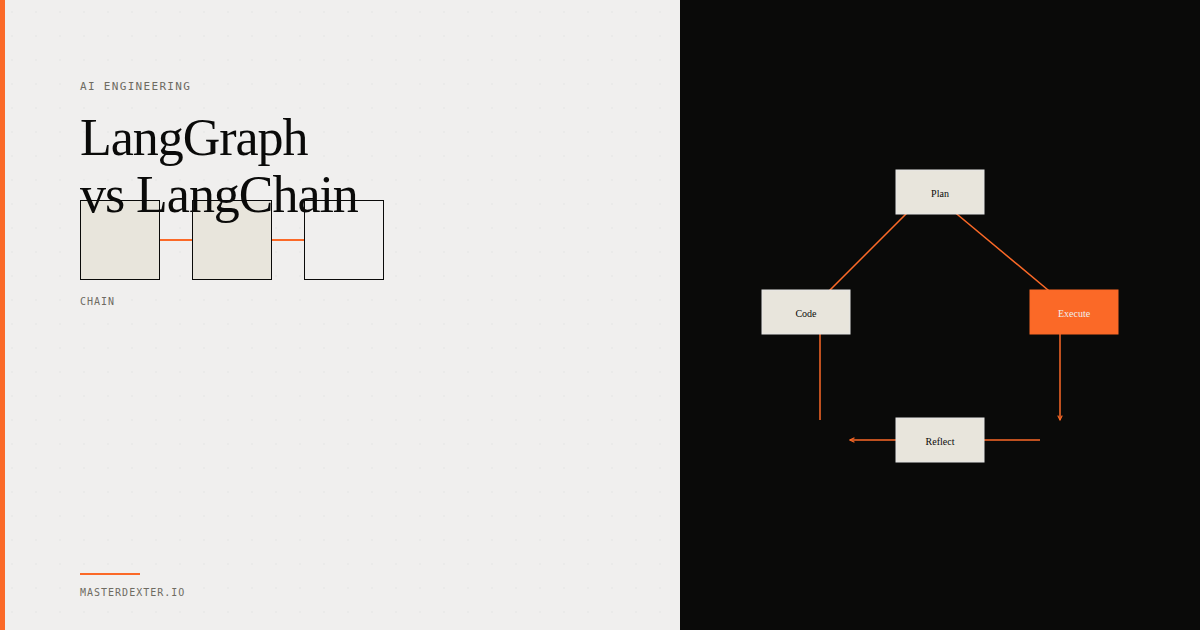
The distinction in one line: LangChain builds pipelines. LangGraph builds agents.
When LangChain is enough
You have a document summarization pipeline. User uploads a PDF, you chunk it, pass chunks to the LLM, get a summary. One direction. No loops. No decisions mid-flight.
You have a customer support chatbot that maintains conversation history. The LLM reads prior messages and responds. There is no tool use, no conditional routing, no step that feeds back into a prior step.
You have a structured extraction workflow. Text comes in, model extracts fields, data goes to a database.
In all three cases, LangChain's LCEL (LangChain Expression Language) with its pipe syntax handles this cleanly:
from langchain_anthropic import ChatAnthropic
from langchain_core.prompts import ChatPromptTemplate
from langchain_core.output_parsers import StrOutputParser

model = ChatAnthropic(model="claude-sonnet-4-6")

chain = (
    ChatPromptTemplate.from_template("Summarize this document: {doc}")
    | model
    | StrOutputParser()
)

result = chain.invoke({"doc": document_text})
Three lines of logic. No state management. No graph. LangChain is the right tool.
When you need LangGraph
You need LangGraph the moment your system needs to do any of the following:
Tool use with feedback loops. The agent calls a tool, reads the result, and decides what to call next. This is a cycle. LangChain chains go in one direction. LangGraph handles cycles natively.
Self-correction. The agent generates something, tests it, and rewrites based on the test result. The DevFix agent pattern from AI Engineer HQ Cohort 1 is exactly this: coder generates, validator checks, reflector critiques, coder rewrites. Four nodes. Two cycles. Impossible to express cleanly in a linear chain.
Multi-step reasoning where the path is not known upfront. A ReAct agent that decides at each step whether to call a search tool, a calculator, or produce a final answer. The routing logic is dynamic.
Human-in-the-loop checkpoints. The agent pauses mid-execution and waits for a human to approve before continuing. LangGraph's interrupt_before makes this one line of config. In a linear chain, you are building this yourself from scratch.
Persistent state across long tasks. An agent that processes 200 documents and can resume if the server restarts. LangGraph's checkpointing system handles this with PostgreSQL or SQLite. You pick the backend.
Here is a minimal LangGraph agent that shows the cycle:
from langgraph.graph import StateGraph, END
from typing import TypedDict

class AgentState(TypedDict):
    task: str
    result: str
    attempts: int
    passed: bool

def planner(state: AgentState) -> dict:
    # Generate a plan based on the task
    return {"result": generate_plan(state["task"])}

def executor(state: AgentState) -> dict:
    # Execute and check the result
    success, output = run_and_test(state["result"])
    return {"passed": success, "attempts": state["attempts"] + 1}

def should_retry(state: AgentState) -> str:
    if state["passed"] or state["attempts"] >= 5:
        return "end"
    return "planner"  # Loop back

graph = StateGraph(AgentState)
graph.add_node("planner", planner)
graph.add_node("executor", executor)
graph.set_entry_point("planner")
graph.add_edge("planner", "executor")
graph.add_conditional_edges("executor", should_retry, {"end": END, "planner": "planner"})

app = graph.compile()
The add_conditional_edges call is what makes this different from anything LangChain can express on its own. That single line implements the self-healing loop.
The performance question
LangGraph adds overhead. For simple pipelines, that overhead is not worth it.
In a benchmark I ran on a document extraction pipeline, switching from LangGraph to a plain LangChain LCEL chain reduced cold start time by 40% and per-request latency by about 15%. For a pipeline that runs 50,000 times per day, that matters.
For an agent that runs 100 times per day and needs self-correction, the overhead is invisible.
Match the tool to the problem. Do not over-engineer.
The migration path
The good news: if you start with LangChain and outgrow it, the migration to LangGraph is not a rewrite. Your LangChain model wrappers, prompt templates, and tool definitions all work inside LangGraph nodes. You are adding a graph layer on top, not replacing everything below it.
The bad news: if you build a complex agent in LangChain using its AgentExecutor and try to retrofit human-in-the-loop later, that is painful. AgentExecutor was not designed for interruptible execution. Starting with LangGraph when you know you need cycles or checkpoints is the right call.
The decision in one table
| You need | Use |
|---|---|
| LLM integration, prompt templates, simple chains | LangChain (LCEL) |
| Stateful agents with tool use | LangGraph |
| Self-correcting loops | LangGraph |
| Human-in-the-loop checkpoints | LangGraph |
| Multi-agent collaboration | LangGraph |
| Simple RAG pipeline | LangChain (LCEL) |
| Document processing with no cycles | LangChain (LCEL) |
What I use in the cohort
In AI Engineer HQ, every artifact from Artifact 2 onward uses LangGraph. Not because it is the newest thing, but because every serious AI system we build has at least one cycle in it.
Artifact 1 (Neural Vault) is a RAG pipeline with no loops. LangChain LCEL handles it perfectly. Artifact 2 (DevFix Auto-Agent) has a five-node cyclic graph. LangChain would have required custom loop logic. LangGraph made it clean.
The pattern is consistent: linear pipeline with no tool-use cycles? LangChain. Anything with a loop? LangGraph.
Want to build agents that actually ship?
This is what we cover in Module 2 of AI Engineer HQ - the architecture decisions that determine whether your AI system is maintainable six months from now or a debugging nightmare.
What I build and how I can help
- MasterDexter live cohorts
- MasterDexter Teams - private cohorts to train your AI team on production systems
- AITalentStudio - vetted, production-ready AI talent for your company
- Dextar - AI engineering development and consulting for enterprises and startups
- Buildership - ideas to ship real AI